
About Us

Indian Animal Phenome Database (IAPD)
The Indian Animal Phenome Database (IAPD) serves as a comprehensive repository of animal phenotypic data, specifically related to livestock and other animal species native to India. It provides a centralized platform for researchers, breeders, and policymakers to access valuable data for improving animal health, agriculture, and biodiversity.

IAPD aims to promote sustainable animal production systems, enhance livestock breeding programs, and improve animal health policies by providing access to harmonized data. Through the integration of traditional knowledge and advanced phenotyping techniques, the database is an invaluable resource for animal research, breeding, and agriculture practices.

IAPD Data Submission & Access Flow

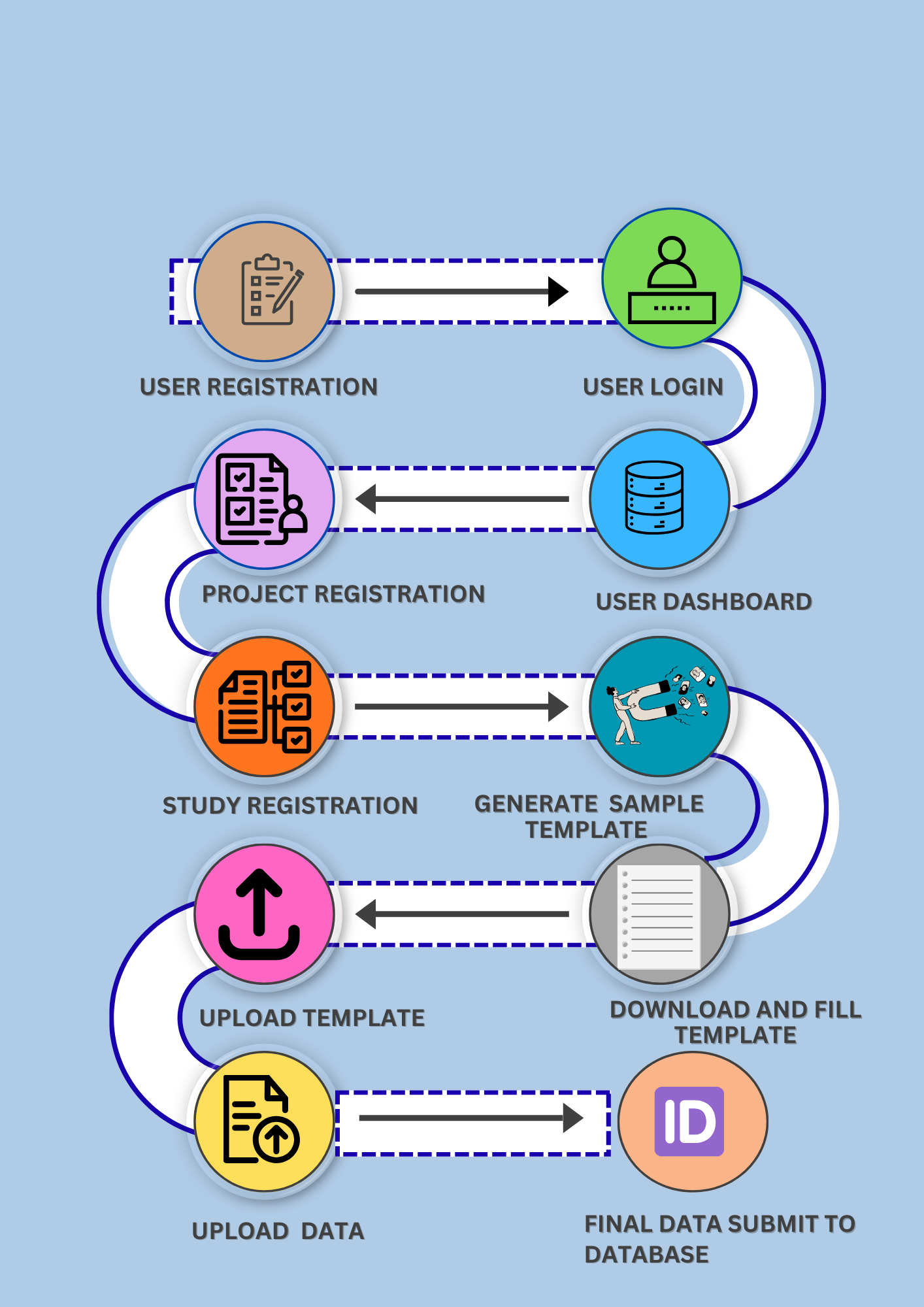
IAPD Data Flow Diagram
IAPD Flow

Step-by-Step Process

Step 1: User Registration

To begin submitting data to IAPD, users must create an account on the IPR portal. Visit the registration page and fill in the required details to create your IPR user account. This account will be used to manage all your phenome data submissions across IPR databases.

Step 2: Login to Dashboard

After successful registration, log in to your IPR account. You will be redirected to your personal IPR dashboard. From here, you can create, manage, and track all your phenotype data submissions.

Step 3: Project Registration

Go to submit data and select IAPD and follow the steps to start animal phenotype data submission. Users can register one or more individual or collaborative projects under their account. Each project requires basic metadata such as project basic information, publications, data access and sharing modes, team, organism and funding details. Projects help organize related studies under a common theme. Each registered project will be assigned a unique IBDC accession number.

Step 4: Study Registration

Multiple studies can be created under a single project. For each study, users need to provide detailed study-level metadata, including design, meta-trait, authors, location, and experimental conditions, treatment details, traits and genetic metadata. This helps describe how the phenotype data was generated. Each registered study will be assigned a unique IBDC accession number.

Step 5: Sample Information & Template

Users add sample details, biological as well as technical replication details and relevant attributes for each study. Based on this information, the system automatically generates a standardized data template. This ensures data is structured correctly before submission.

Step 6: Upload Data

Download the generated template and fill in the phenotype data as per the guidelines. Once completed, upload the filled template under the respective study. The system performs basic checks during upload.

Step 7: Upload Associated Files

Users can upload any related files such as images, reports, or supplementary datasets. These files support and enrich the submitted phenotype data. After uploading all required files, complete the submission.

Step 8: Accession & Confirmation

After successful submission and validation, an accession number is generated. This accession is sent to the user’s registered email. It can be used to track, cite, and share the dataset.